Pick up where you left off


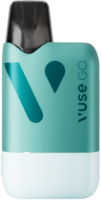

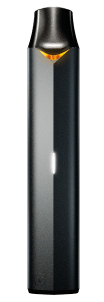










At Vuse, device security is our top priority, and we have implemented high safety standards at every step. Our main goal is to ensure that you can use your Vuse Pro Smart Pod vape device with peace of mind. Introducing Device Lock, an easy way to keep unwanted users out and maintain control over your device.
HOW TO LOCK YOUR VUSE PRO SMART POD DEVICE
Preventing unauthorised access to your vape device has become simpler than ever before. Simply triple-click the Power Button to immediately lock your Pro Smart Pod device. And if you happen to forget your Pro Smart Pod device, there's no need to worry! You can take measures to keep it safe and secure.
Our Device Lock feature gives you full control over your device, even when you're not physically near it. By simply swiping the lock icon to the right in the MYVUSE App, you can easily prevent others from accessing your device.

HOW TO LINK YOUR PRO SMART POD TO THE MYVUSE APP
If you haven't linked your Pro Smart Pod vape device to the MYVUSE App yet, we have provided simple steps to help you do it. Simply download the MYVUSE App, and then follow the steps provided to pair your Pro Smart device to the app or check out our 101 guide on How To Link Your Vuse Pro Smart To MYVUSE App.